I caught up with a friend on the phone on saturday who mentioned he was using an MCP Server to interact with Google Flights. Knowing how much it sucks to coordinate travel online, that immediately caught my attention. He told me about one for reddit and that used Gemini CLI (Google, you need to advertise this more!) to do it.
Later, also on the phone, in the same day, my dad asked “What is an MCP Server?”. In passing, I had heard it was a way for LLMs to get data, but I didn’t know for sure.
I read a few guides on RAGs vs MCPs vs APIs (this one helped me get the concepts and this gave me more detail) and can surmise that:
- A RAG is a database of vectors; Read-only; Good for large volumes of documents
- MCP is a way to connect to a server with tools and resources (data like files or websites) that a model/agent can interact with; basically an API for LLMs; Read and write
I was surprised to learn MCP is just a standard of JSON-RPC. Knowing this, I decided the best way to learn was to build a server myself.
Trying it out in Python and Typescript
Python is always my language of choice. I followed the MCP website’s tutorial on my machine but couldn’t get it to run on cloudflare workers (something I had never used before but something Google Gemini suggested and assured me that I could run python scripts on). After banging my head for a bit, and since Cloudflare workers natively has typescript, I just switched to building in typescript.
I found an MCP testing site online and used it to verify my setup worked. Huzzah!
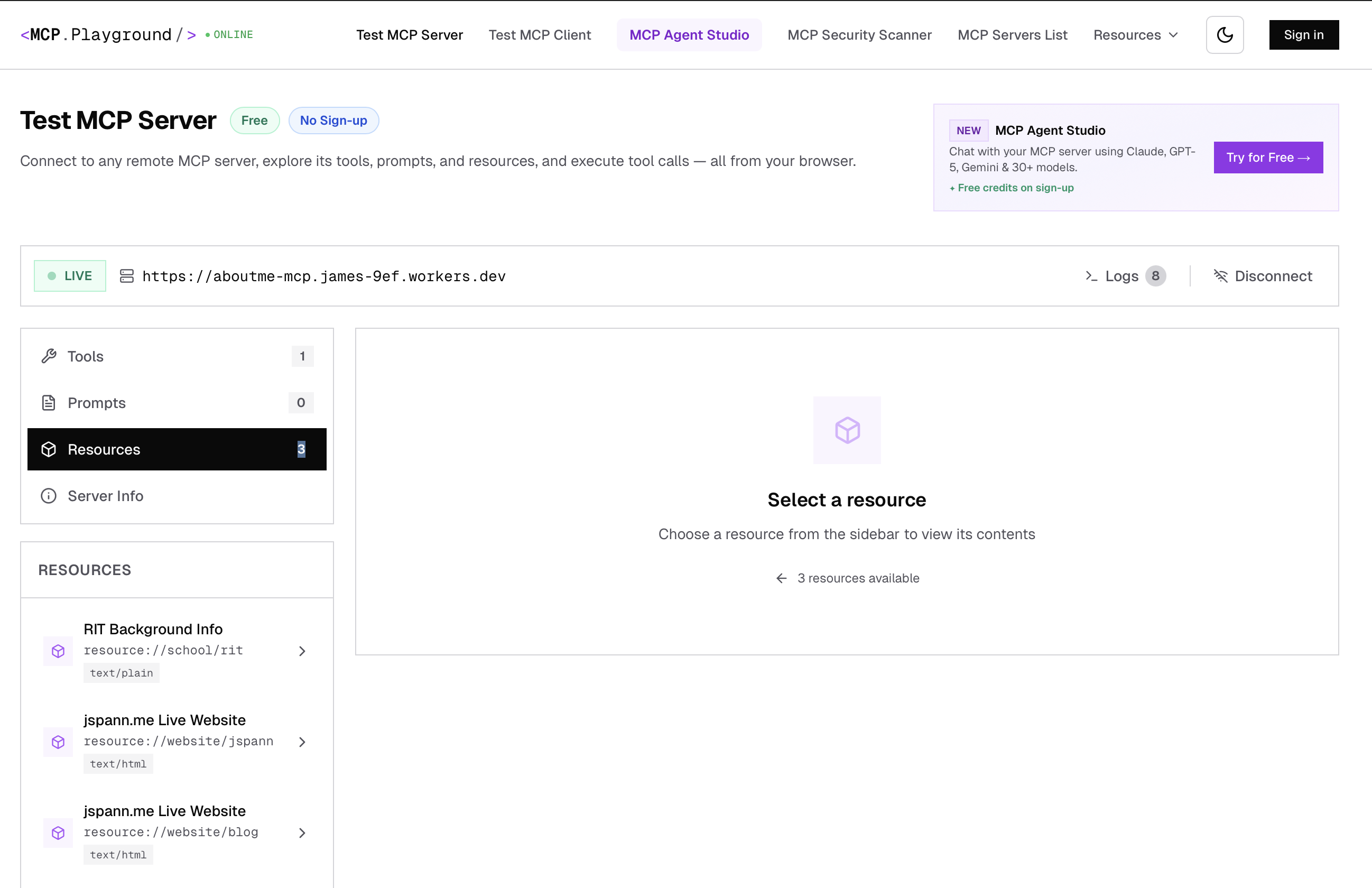
Reading more into the docs and “tools” section of MCP I thought it would be fun to make it possible for an agent to message me. I remembered the app GroupMe had an API for message sending, and dug up my old dorm-controlling Python scripts and used Gemini to convert them to typescript and add that to my MCP server.
I plugged it into Cursor and it worked very well!
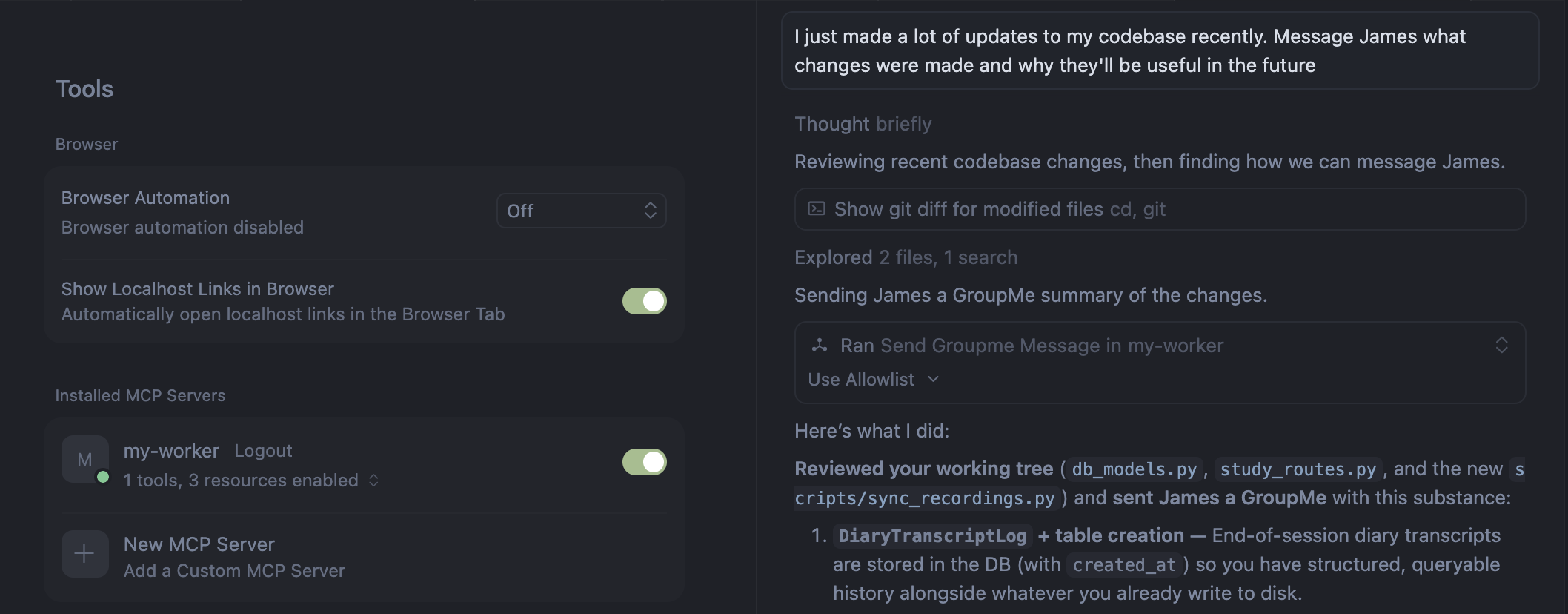
Playing around with some messages, it is very fun to tell the model to “text James the updates made to the front end and why they were necessary”. Also added some basic bio facts about me like my undergrad, my skills, and my code writing habits.
I like using Cursor to automate basic code things but it dawned on me how useful this could be if I added:
- Tools which can notify me when something needs to be adjusted or activate some real world behavior like turning a light on/off
- Resources with information about the goals of project I’m working on to make sure the code is aligned, or pull the full text from papers to review an algorithim
- Prompts that can template repetitive tasks like debugging something or what the last changes in git were
Very very cool.
Sending it around
I’m applying to jobs and internships, and woof it’s rough out there. When sending this around to friends and family, I also got the idea: why not let potential employers also ask about me?
I started adding an MCP link just below my website address when cold emailing. Feels a little spammy but I’ll try it out.

Unfortunately, it looks like I can’t redirect to my server from my jspann.me domain without moving to cloudflare (I love porkbun too much) so it remains on a workers.dev URL.
You’re still here? The blog post is over, go home!
In the short term, I think it could be fun to add realtime data about me, but don’t want to dox myself.
Some other future ideas:
- Assist with (not do) skimming of papers for literature review. I think a lot of tools do the overkill of trying to use the WHOLE of every paper published ever to do a review when the best paper reviews begin with some starter papers and iterate in a targeted and curated way across conferences, years, and citations. This could also be extended to automatically writing the code based on the methods in the literature
- Trip planning. Coordinating across flights and calendars and things to see and do, especially when trying to do things cheaply, could be improved
- A local version (not exposed to the internet) for updating my calendar and coordinating events, like dinners with friends, or staying organized with my personal goals and long term plans
It’s a balancing act. Automating it all removes the sponteneity that leads to new ideas and unique scenarios. A little help and curation gives some good assistance to do things faster and easier.
If you want to send a quick message (e.g. “Send James a message that I liked this post!”) or want to know more about me, don’t be afraid to ask: https://aboutme-mcp.james-9ef.workers.dev
Next day edit: Starbucks announced integration with ChatGPT with basically an MCP app. It doesn’t make much sense since it takes more interactions and time to get to actually ordering, but that’s a UI/UX problem that can be solved.
An LLM (Google Gemini) was used to write the code for the MCP Server and advised on the setup and implementation. This post was written and reviewed by a human (me!)